

| 1 |
Click 'Edit Transaction' to modify the submission
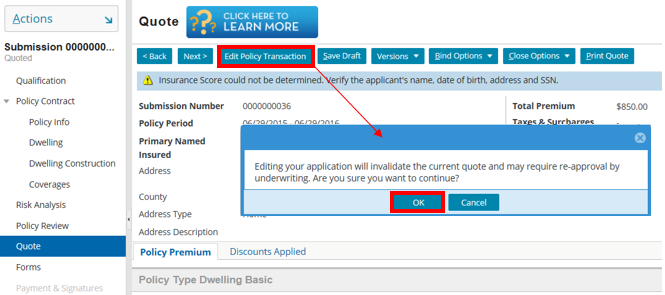
You may want to modify the submission to change different coverage options.
To modify the submission, navigate to the Quote Page and click Edit Policy Transaction. Editing the policy will invalidate the current quote and may require re-approval, if you wish to continue click OK.
| 2 |
Using Navigation Tabs
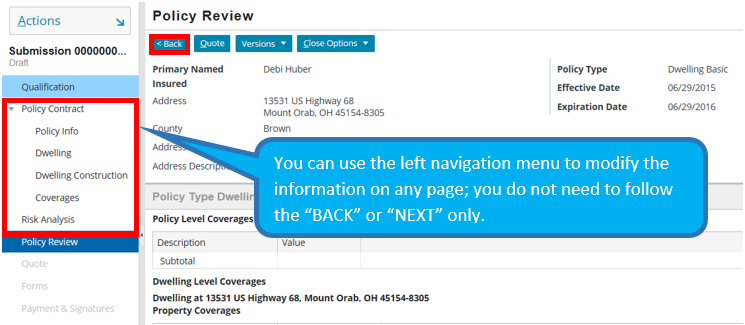
When navigating through the different submission pages, you can use the Sidebar menu to switch between pages. You do not have to always use BACK and NEXT.
| 3 |
Underwriting Errors
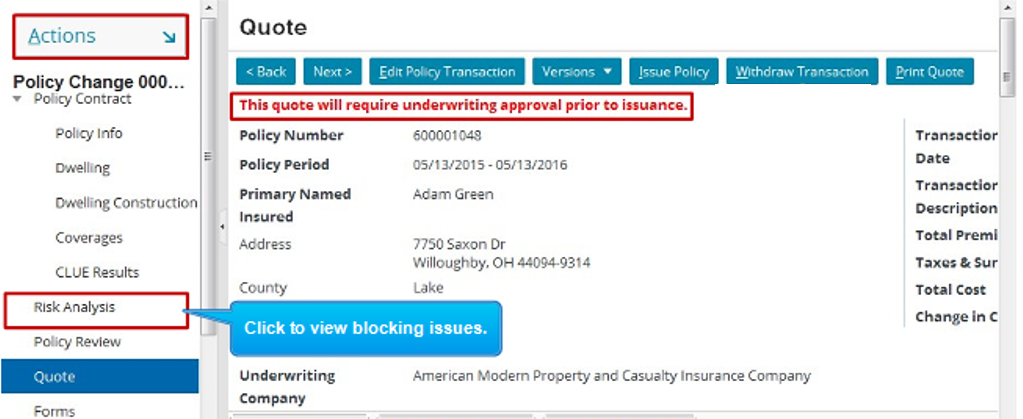
If you receive an underwriting error, navigate to the Risk Analysis page to resolve issue.
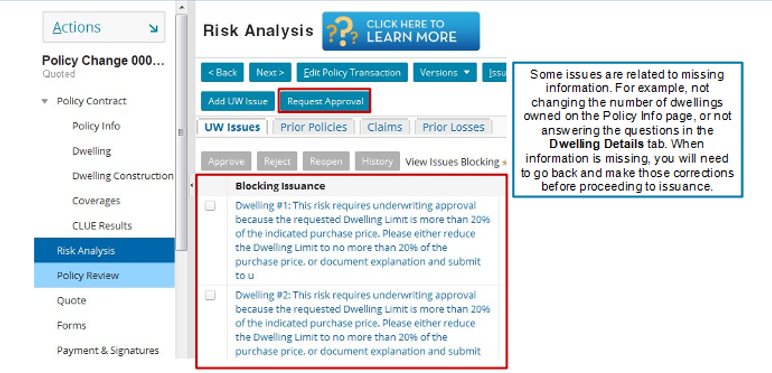
Some issues may be related to missing information. Use the Sidebar menu to navigate to the page pertaining to your blocking issue.