 Underwriting ReviewUnderwriting Review

| Approve and Submit the quote |
| Decline the risk |
| Update the Processing Notes |
| Return the quote to your Review Submitted Quotes list |
The Underwriting Review page is a one-page summary of the quote that enables authorized users (underwriters) to examine quotes that are in Submitted to GA or Submitted to Home Office status. The quotes can then be approved and submitted or declined.
For Motorcycle Rate,Quote and Submit, the following information is displayed to help you with your approve/decline decision:
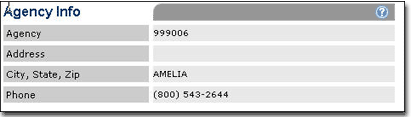
Agency Information fields display information about the agency related to the submitter's modernLINK® user ID.

The Sub-Producer Information fields display info if the submitter was logged into modernLINK as a Sub-Producer.
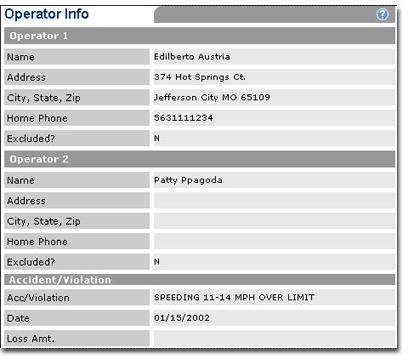
The Operator Information fields display information about the operator(s) being insured.
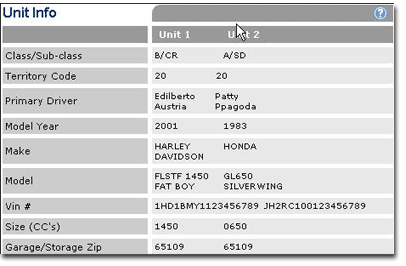
The Unit Information fields display information about the unit(s) being insured.
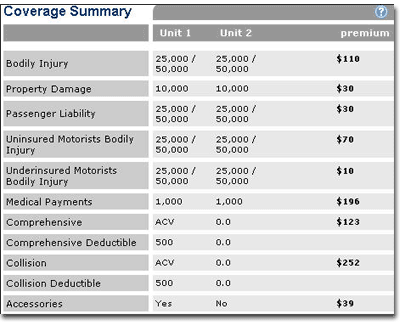
The Coverage Summary fields display the coverage options you have selected.
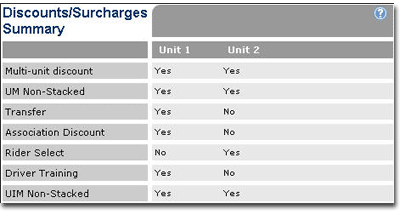
The Discount/Surcharges Summary fields display the discounts and surcharges that apply to the quote.
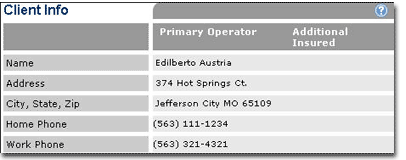
The Client Information fields display information about the applicant.
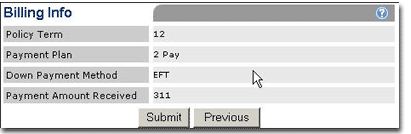
The Billing Information fields display the billing options selected for the current quote.
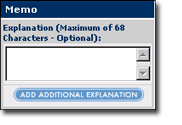
The Memos box displays memos attached to the quote.
To add a memo prior to submitting the quote, click ADD ADDITIONAL EXPLANATION.
To review the quote:
Do one of the following:
To approve and submit the quote:
If desired, update or attach a memo to provide documentation explaining your decision (Memo box is on the lower right portion of the screen).
Click Submit at the bottom of the page or in the page menu bar.
The quote is submitted and a policy number displays. The quote status changes to Pending Issuance and it is automatically removed from your Review Submitted Quotes list.
 |
If the quote has a Declined Risk status and is being re-submitted click Submit on the page menu bar to approve the quote. There is no Submit button on a declined quote. |
To decline the risk:
To avoid phone calls, it is advisable to update or attach a memo to provide documentation explaining your decision (Memo box is on the lower right portion of the screen).
Click Decline Risk at the bottom of the page.
The page refreshes and the Reason for Decline list appears.
Select a reason for declining the risk.
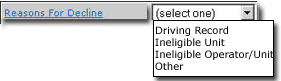
The quote is redisplayed with the reason for decline. The status changes to Declined Risk and it is automatically removed from your Review Submitted Quotes list.
Click in the Processing Notes text box and enter some text related to the workflow, such as "Reviewed by Sue," "Referred to Jane," or "Approved by John." Processing Notes are not viewable by the originator.

To return the quote to your Review Submitted Quotes list without taking action to approve or decline, click Return to the Quote List.
The Review Submitted Quotes list opens and the quote status returns to Submitted to GA or Submitted to Home Office.
To return the quote to your Review Submitted Quotes list:
To return the quote to your Review Submitted Quotes list without taking action to approve or decline, click Return to Quote List. The quote status returns to Submitted to GA or Submitted to Home Office.
